Compress images
Compress images — Save below a target file size
Maximum 40 MP. HEIC/HEIF/AVIF/SVG are input-only. RAW and PSD are unsupported.
Should I compress a photo or resize its pixel dimensions?
For a 100 KB upload limit, choose JPG or WebP and set a maximum file size here. For a required width such as 1200 px, use the image resizer instead. Compression may reduce quality; review the saved image before submitting it.
Here 100 KB means 102,400 bytes. For a strict 100,000-byte limit, leave room, for example 97 KB. Animation and original metadata are not retained.
Resize an image in pixels- Add photos to compress
- Set target KB and JPG or WebP
- Process and check actual size
Usage example
- Example input
photo.jpg- Output format
JPG- Maximum file size (KB)
500- Expected result
JPG · ≤500 KB (512,000 bytes)
Examples are illustrative. Actual results depend on the source file and settings.
Examples and limitations
Example: target 500 KB. Target size supports JPG and WebP. Downscaling requires opt-in; an oversized result is not saved.
Before and after, tested with real files
When a photo must fit under 100 KB
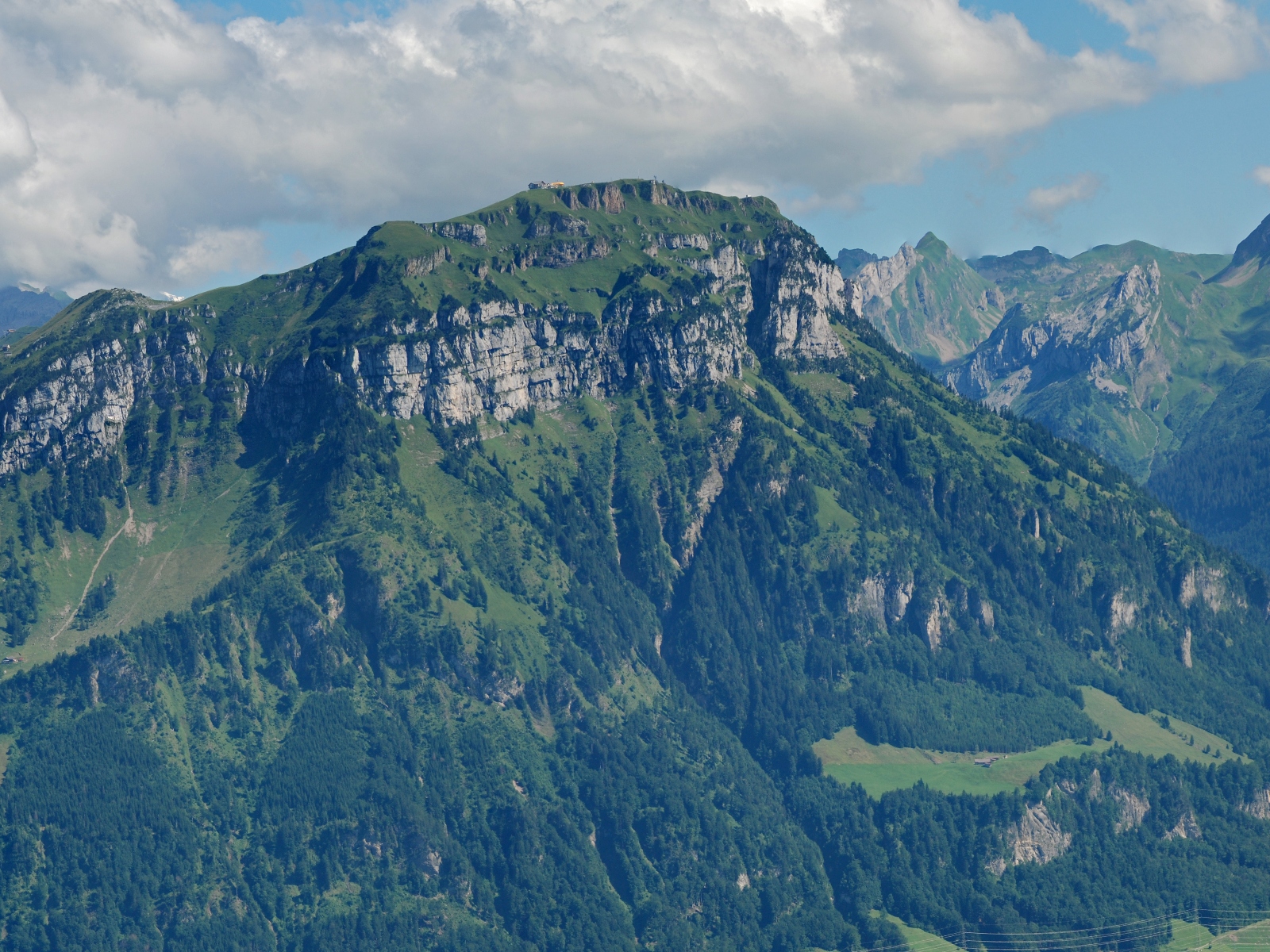
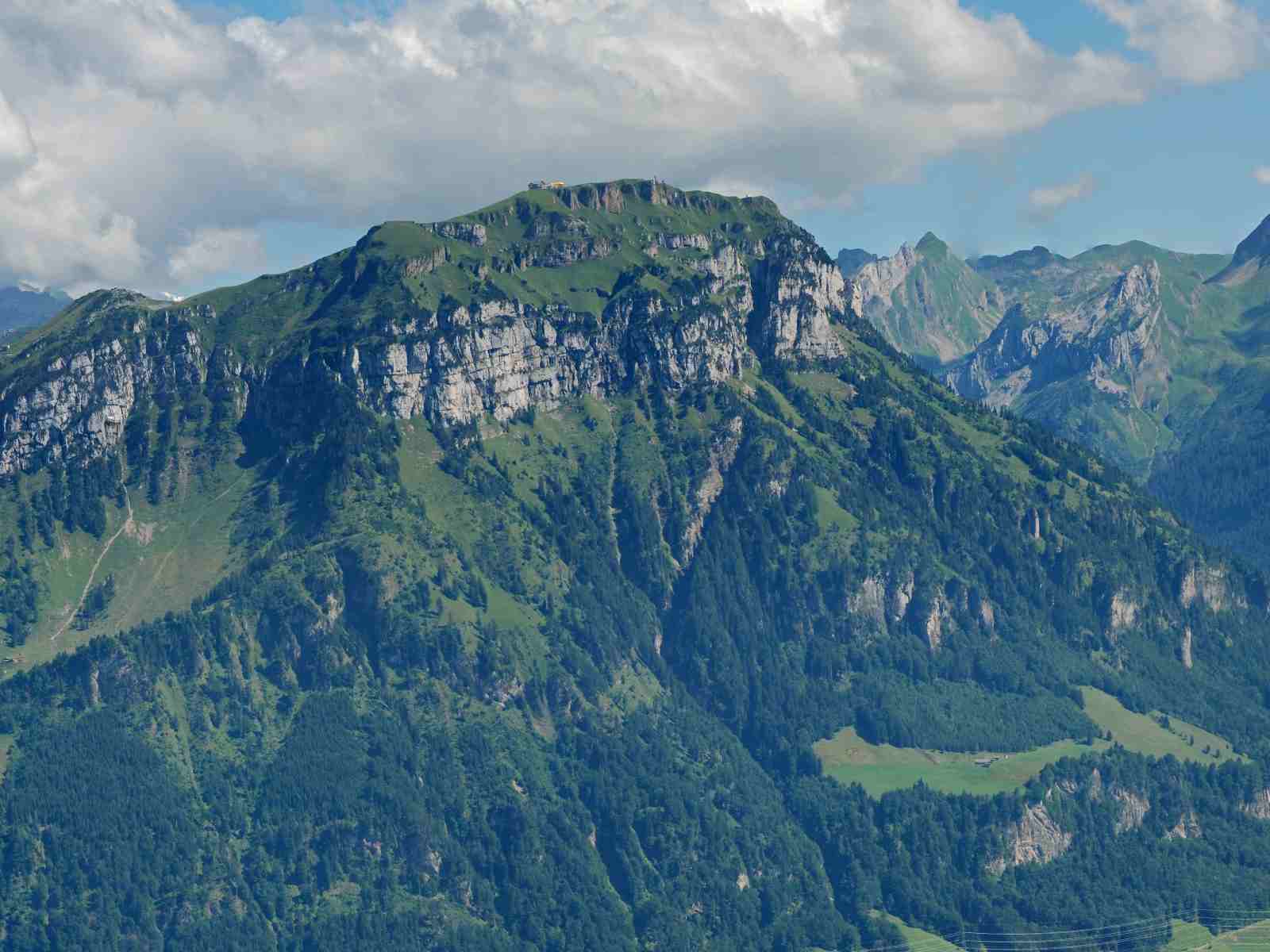
1600 × 1200 px retained · JPG → JPG
Compression reduces quality. These results are not guaranteed for every photo. Here 1 KB is 1024 bytes; for a strict 100,000-byte limit, leave room, for example 97 KB.
- Choose the landscape JPG and keep JPG output.
- Set the maximum size to 100 KB. Downscaling was disabled in this example.
- Acknowledge the changes and convert. Check the saved JPG size and fine detail.
Measured on these samples. Content, settings and browser affect the result. Previews are scaled down. Verified · 2026-10-18
Photo source: Hannes Röst · Fronalpstock · CC BY-SA 3.0 · Changes: cropping, resizing, compression and document placement. Derived images are also CC BY-SA 3.0.

Input and output
- Supported input
.jpg · .jpeg · .jfif · .png · .apng · .webp · .gif · .bmp · .tif · .tiff · .ico · .heic · .heif · .avif · .svg- Saved output
JPG · WebP [target KB]- Maximum size per file
30 MiB- Maximum file count
20- Total selected size
200 MiB
Usage example
- Example input
photo.jpg- Output format
JPG- Maximum file size (KB)
500- Expected result
JPG · ≤500 KB (512,000 bytes)
Examples are illustrative. Actual results depend on the source file and settings.
Limits and checks
- Maximum 40 MP. HEIC/HEIF/AVIF/SVG are input-only. RAW and PSD are unsupported.
- GIF/APNG/TIFF use only the first frame. Metadata and original color profiles are not retained.
- Some images cannot be decoded depending on format and browser.